Event Command Centers: ICS Communication Guide
July 21, 2026

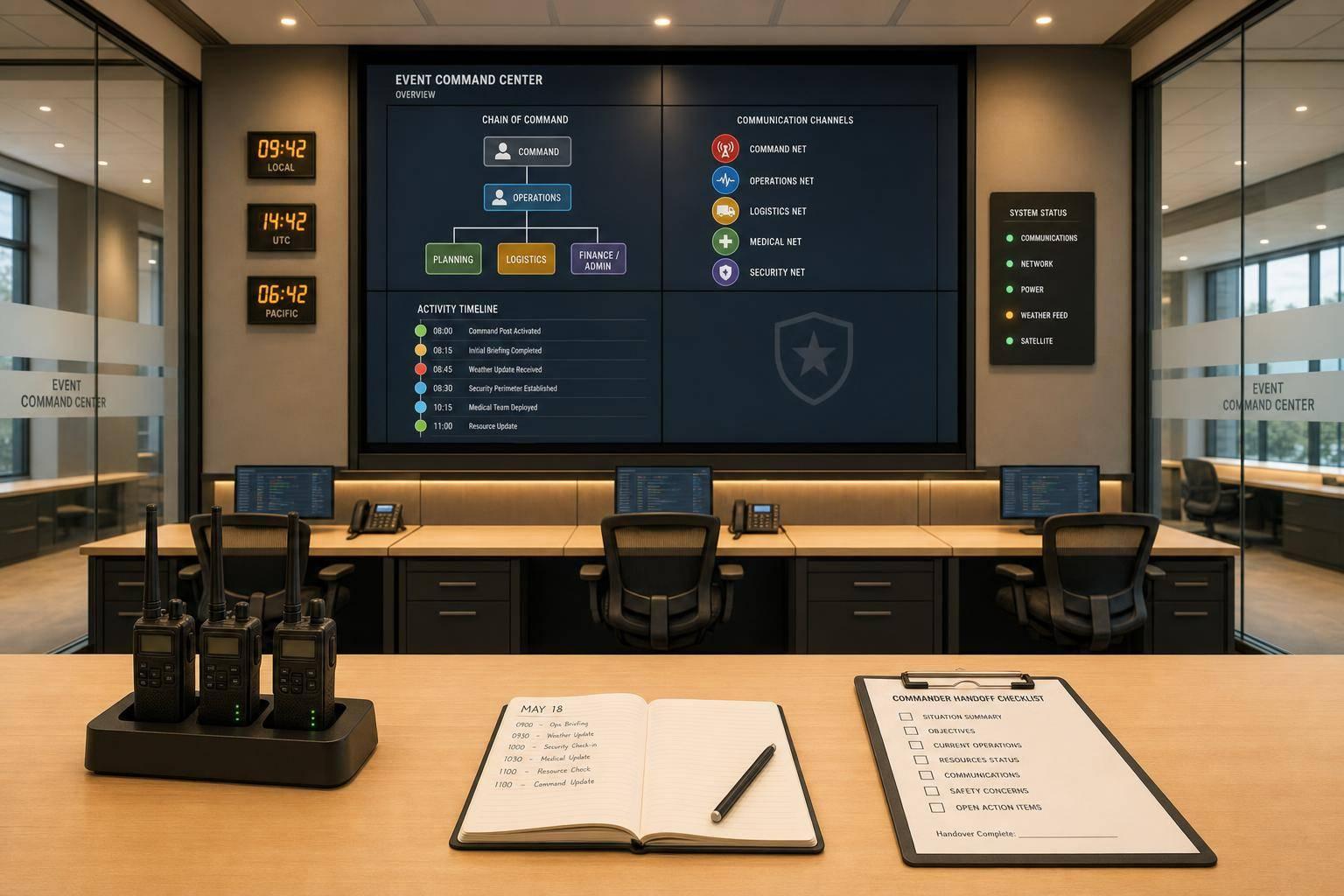
If your event team uses random texts, missed calls, and hallway updates, your command center will slow down fast. The fix is simple: use ICS to set roles, assign channels, log every issue, and hand off each shift in writing.
Here’s the short version:
The main point: if I want an event command center to stay orderly under pressure, I need a set chain of command, fixed channels, written logs, backup plans, and clean shift handoffs. Everything else sits on top of that.

Once command roles are set, lock the communication plan before doors open. When staff know which channel to use, who to call, and what to do if a radio fails, they stop guessing and start moving.

Use ICS Form 205 to list each channel, what it's for, who monitors it, and the backup method for each operational period. Attach it to the IAP and hand it out before each shift
Pair Form 205 with a role-based contact directory that lists each key person by role. Include internal and external contacts by role, cell number, radio call sign, assigned channel, and backup method. That means outside partners too: local EMS dispatch, venue operations, the fire department liaison, and equipment rental contacts. Label each version by operational period, and pull old copies out of circulation. Print copies for the command center, security post, medical tent, and key vendor areas
Match each channel to one ICS function so radio traffic stays in its lane. Security dispatches, medical calls, and catering updates can all sound urgent. But they don't all need the same audience. Split them up, and each team can focus on the traffic that matters.
A practical channel structure for a mid-sized U.S. event looks like this:
| Channel Name | Function | Who Uses It |
|---|---|---|
| Command 1 | Strategic direction, major incident updates | Incident Commander, Section Chiefs, Comms Unit |
| Ops – Security 1 | Crowd issues, access control, disturbances | Security supervisors, on-site staff |
| Ops – Medical 1 | Patient calls, EMS coordination, medical status | Medical dispatch, on-site EMTs |
| Ops – Guest 1 | Lost & found, guest assistance, non-medical issues | Guest services leads, ushers |
| Support – Logistics 1 | Staging, parking, supplies, facilities | Logistics team, maintenance |
| Vendor – Catering 1 | Deliveries, staffing gaps, service timing | Catering lead, bar managers, vendor coordinator |
Use the same channel names at every event. When staff recognize those names from one event to the next, training takes less time and on-air mistakes go down. Put those names in your ICS 205 template and in any channel plan sheets you hand out during briefings
Build a backup for every communication method before event day, not in the middle of a thunderstorm at an outdoor festival.
For radios, keep at least 10% of your total radio count as charged spares. Professional handhelds can run 12 to 16 hours on a full charge, but that's under ideal conditions and only if they started at 100%. Pre-program backup simplex channels in case a repeater fails. Also keep non-rechargeable batteries in the logistics inventory as a last resort
For cellular, map dead zones at the venue ahead of time. Convention centers often have wired landlines in the control room, while outdoor festivals may not, so set relay points for runners if both radio and cell service fail. Group texts are more likely to get through than voice calls when networks are congested, so make them part of the written plan instead of treating them like a last-minute fix
For internet and power, store offline copies of the ICS 205, contact directory, and incident logs on local devices. Keep laminated channel sheets posted at eye level in the command center, medical tent, and security office. If your event management software goes down, those printed sheets help the operation keep moving. But there's a catch: backups only work when the command center assigns who uses them
Once the channel plan and backups are set, assign who runs them inside the command center.
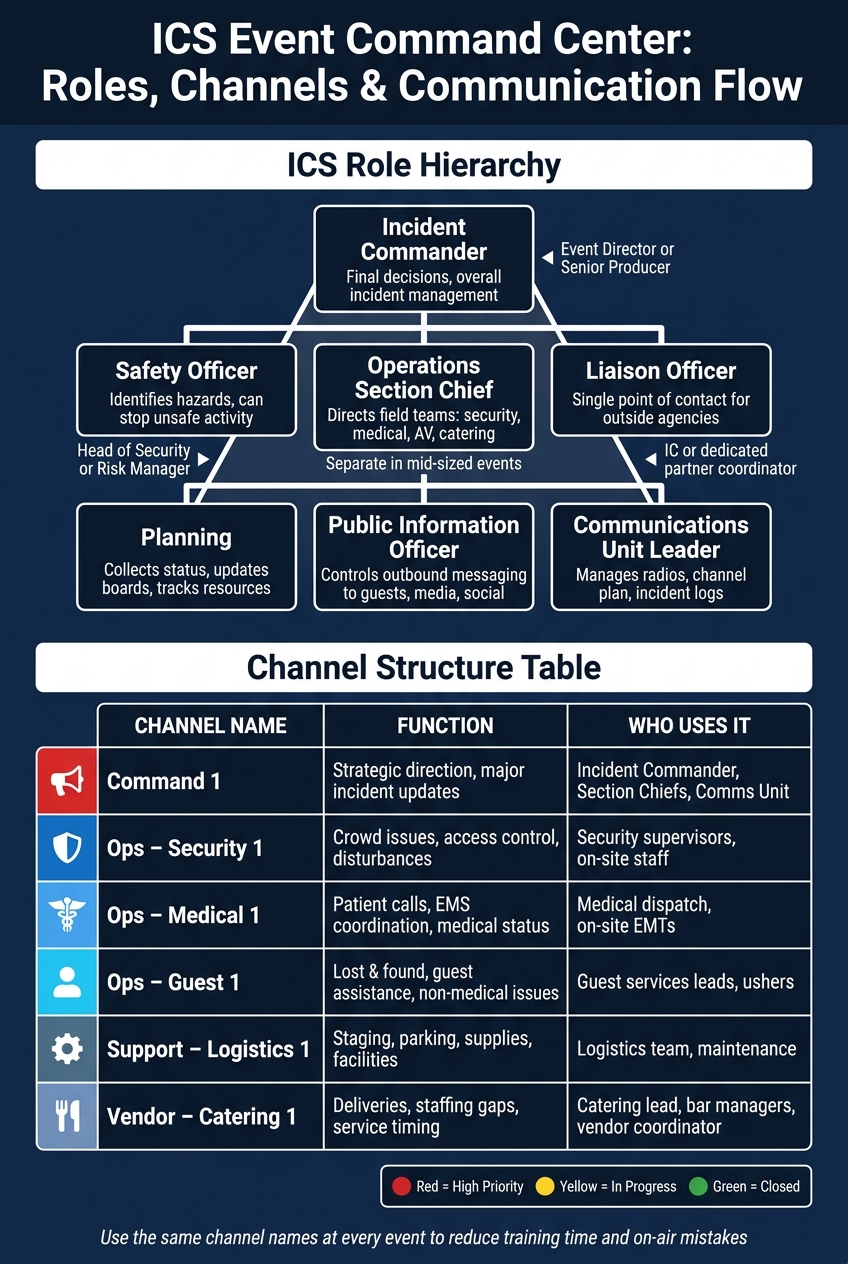
ICS Event Command Center: Roles, Channels & Communication Flow
Once the channel plan and backups are in place, you need a room, the right gear, and clear owners. That’s what turns a plan on paper into a working command post.
Set up the command center close to the event area, but keep it away from guest traffic and noise. The goal is simple: updates should come in, get checked, and be logged without a lag. A back-of-house meeting room, production office, or venue operations center usually works well, as long as it has power, network access, and controlled entry. Lock it down with a badge, a lock, or a door monitor so radios, laptops, and printed plans stay protected.
Inside the room, keep the basics ready to go:
Put a large printed venue map on the wall facing the main seating area. It should show zones, entry and exit points, medical posts, security posts, and staging areas. Right next to it, keep the main incident status board, either a whiteboard or a digital display. Split that board into three sections: open incidents, in-progress actions, and resolved incidents with close times. Add a resource board that shows who is on duty, along with cell numbers and radio call signs. Keep the map, incident board, and resource board visible at all times.
The Incident Commander is the one ICS role that must always be staffed. In smaller teams, one person may cover more than one role. Even so, each function needs a named owner before the event begins.
For lean U.S. event teams, this pairing pattern is common:
| ICS Role | Primary Responsibility | Common Pairing in Small Teams |
|---|---|---|
| Incident Commander | Final decisions, overall incident management | Event director or senior producer |
| Operations Section Chief | Directs field teams such as security, medical, AV, and catering | Often combined with the IC in very small events; separate in mid-sized events |
| Planning | Collects status, updates boards, and tracks resources | Combined with Operations or IC when staffing is thin |
| Liaison Officer | Single point of contact for outside agencies and partners | IC or a dedicated partner coordinator |
| Public Information Officer | Controls outbound messaging to guests, media, and social channels | Event marketing or PR lead |
| Safety Officer | Identifies hazards and can stop unsafe activity | Head of security or risk manager |
| Communications Unit Leader | Manages radios, channel plan, and incident logs | Logistics coordinator or comms lead |
A couple of roles matter a lot when things get messy. The Safety Officer can escalate hazards straight to the IC. The Communications Unit Leader keeps radio traffic clean and records incidents as they happen.
Before the event starts, assign one named command-center contact for each vendor stream. If you skip this step, catering, stage, and venue staff may all give different directions to the same crew. That’s when confusion sets in and delays pile up.
Build a vendor contact matrix and post it on the command center wall next to ICS Form 205. For each stream, including catering, rentals, AV, transportation, venue operations, security, and medical, list:
This sounds small, but it solves a big problem. When everyone knows there is one decision-maker for AV and one for catering, mixed signals stop before they spread. Route vendor questions through the command center so decisions follow incident priority, not convenience.
Once the event is live, the command center should run four repeatable tasks: route, log, update, and hand off.
Assign the Communications Unit Leader or Radio Operator to acknowledge every incoming message, log the caller, location, incident type, time, and incident ID, and then route it.
Different incident types move through different chains.
A medical call goes to the operations/medical channel first. The operator notifies on-site EMTs and logs dispatch time, patient location, and unit ID. Escalation to 911 should be authorized by the Medical Unit Leader or Event Commander, except in immediately life-threatening situations that your written protocol says should escalate at once.
A disruptive guest report goes to security first. If the outcome is serious, such as an ejection or threat, escalate it to the Event Commander and record intervention times and outcomes.
Weather changes should move through the Safety Officer to the Operations Chief and then to the Event Commander. Use set thresholds, such as lightning within 8 miles, to trigger a pause on outdoor activities.
Equipment failures go to Logistics. The Communications Unit should track estimated repair time and any backup measure already in place.
Close each incident with an "arrived on scene" update, then a "resolved" update and a short outcome note.
The board shows live status. The log keeps the record. Both need to stay accurate in real time.
For the board, track:
Use color coding to keep the board easy to scan:
For the log, use the ICS 214 Activity Log and ICS 309 Communications Log. The ICS 214 captures notable activities and shift start and end times, while the ICS 309 records detailed message traffic, including sender, receiver, content, and time. Both forms should be forwarded to the Documentation Unit at the end of each operational period.
During peak periods, split board updates from message handling. Use pre-defined incident categories and short standardized abbreviations, with a posted legend, so entries stay fast and consistent.
Ad-hoc texts and verbal check-ins leave holes. Boards and logs give every supervisor the same live record.
That same live record makes shift handoff faster and cleaner.
When the next shift takes over, protect that record with a written transfer.
Structure every transfer around a written Transfer of Command note that includes date and time, outgoing and incoming names and roles, open incidents and IDs, assigned resources, staffing gaps, and vendor callbacks and ETAs.
Mark long-running issues as carry-over items so the incoming supervisor doesn't tune them out. Ongoing crowd management problems, partial power failures, or recurring medical hotspots should stay visible on the board in a clearly labeled Carry-Over section until they are fully resolved.
The incoming supervisor must confirm receipt and accept command before the handoff. Attach the Transfer of Command note to the event log so it is available for after-action review.
Software doesn't run your command center. Your ICS structure does.
Once that structure is set, software helps keep rosters, messages, and handoff notes up to date across shifts. Think of it as the system that keeps the moving parts aligned when things start changing fast.
Software should track a live roster, role-based contacts, shift assignments, timestamped messages, incident notes, deadline reminders, and mobile access. The point isn't to replace the contact directory or handoff process already built into the ICS plan. It's to keep those items synced in real time so the team isn't working from old info.
Searchable logs matter most. If a supervisor needs to confirm that a safety notice reached the right person, that answer should come up with one search. A searchable message history tied to the event record gives the command team one auditable log they can use during escalation reviews or after-action reporting.
Mobile access matters just as much. Event communication doesn't stay at the main desk. It happens at loading docks, in parking areas, and at satellite sites. Staff should be able to confirm assignments, get updates, and reply from their phones without heading back to the command center. That helps the team work from one live record instead of scattered texts and separate notes.
This becomes even more important when staffing changes happen on the fly.
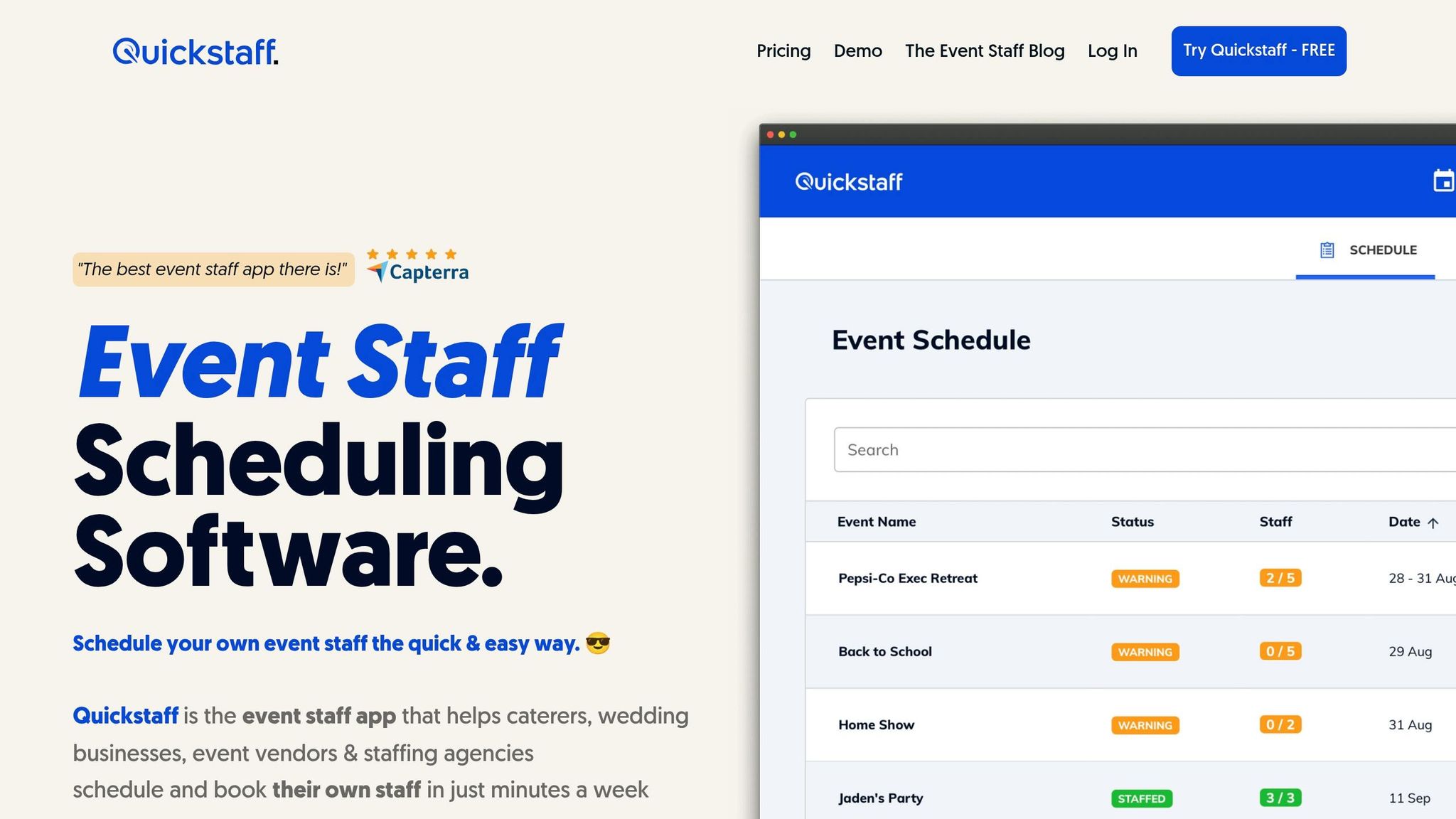
Quickstaff supports the ICS plan by keeping staffing assignments, availability, and message history in one place. Use Quickstaff to build the roster, fill callouts, and keep live staffing updates tied to the incident record.
Software supports the ICS plan by keeping rosters current, messages traceable, and shift context intact. ICS still sets the rules. Software helps keep those rules current under pressure.
In event command centers, ICS stands for the Incident Command System. It’s a modular, scalable framework used to manage command, control, and coordination during an event.
Put simply, ICS gives everyone a shared structure and the same terminology. That way, venue staff, police, fire, and EMS can work side by side without mixed messages or conflicting instructions.
Its five functional areas are:
There’s no one-size-fits-all number for every event, but you should always set up primary and backup channels.
At a minimum, your plan should include:
You may also need extra channels or other communication platforms based on the stakeholder groups involved, the venue layout, the size of the operation, and how complex the command structure is.
A shift handoff should cover active incidents, resource or personnel status, major decisions, unresolved issues, pending tasks, and any logs or documentation tied to the site.
The incoming lead should review the decision and deployment log. Shared checklists and digital tools can help brief incoming staff on current site conditions, radio hierarchies, and zones of responsibility.