Completing Form I-9 Before Event Staff Start Work
October 14, 2026


I recommend planning Form I-9 around the first paid workday - not the event date. After the offer is accepted, aim to finish both sections before work starts, including paid training or setup.
Here’s the checklist I use:
My starting point: <u>confirm the first paid workday</u>, assign someone to track completion and compliance, and keep scheduling updates separate from I-9 records.

Form I-9 Checklist for Event Staff
Assign one staffing coordinator to manage each new hire’s I-9 timeline.
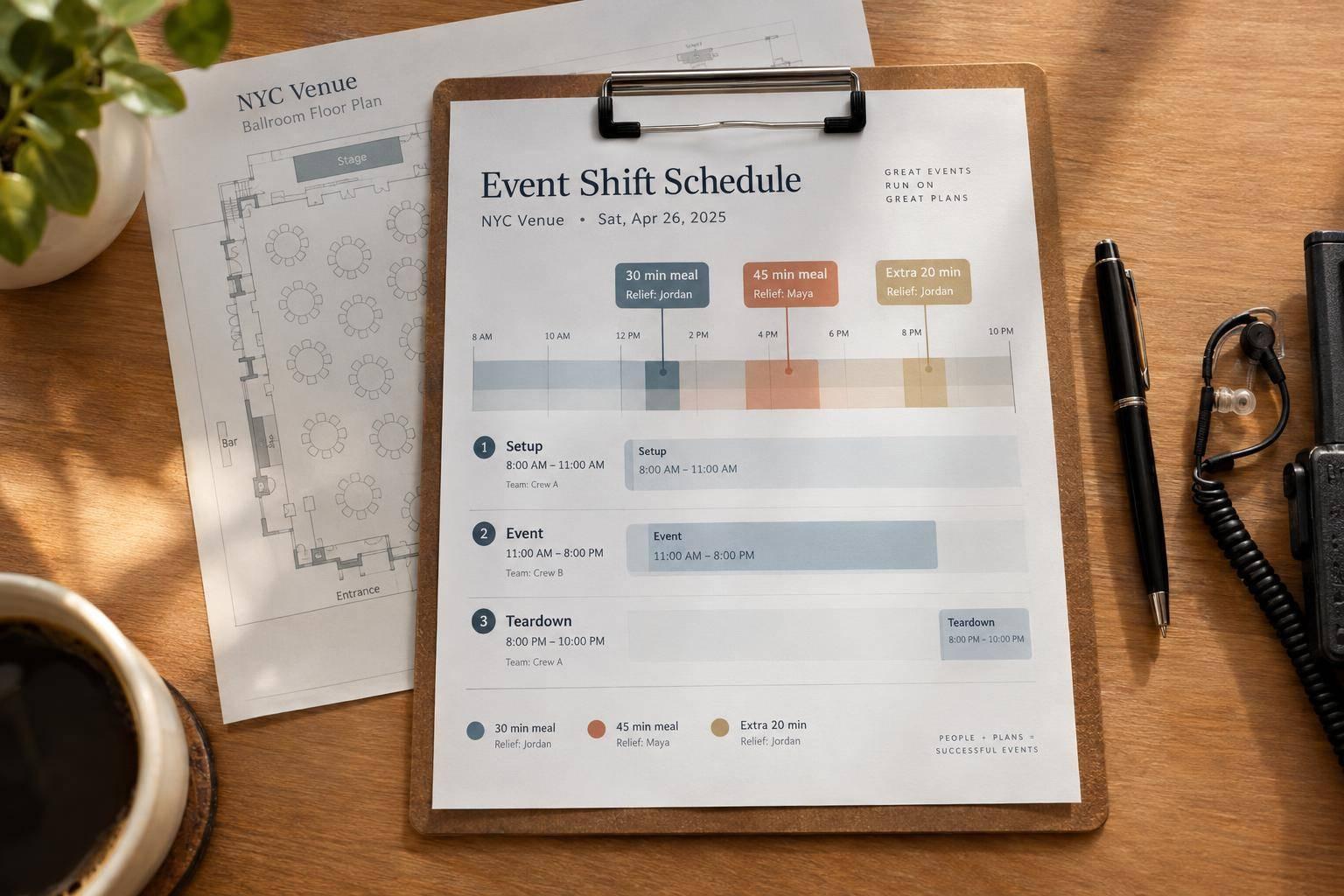
The first day of employment is the first paid workday. That includes paid training, orientation, or setup before the event. Record this date separately from the event date: a one-day event doesn’t always mean one day of employment.
Base all deadlines on the first paid workday, not the event date.
| Requirement | Deadline |
|---|---|
| Section 1 | No later than the first day of employment |
| Section 2: standard deadline | Within three business days after the first day of employment |
| Section 2: employment lasting fewer than three business days | No later than the first day of employment |
Once you’ve set the deadline, complete Section 1 before the first paid workday.
The employee enters their information, selects their attestation, and signs and dates Section 1. Do not choose the attestation for them. If preparers or translators help, each must complete a separate certification block in Supplement A. Keep Supplement A with the form. The employee must still sign.
Check the required fields, attestation, signature, date, and Supplement A certification. Don’t request documents to verify Section 1 entries. Send errors back to the employee or preparer/translator for correction.
For paper corrections, strike through the wrong entry, write the correct information, and initial and date the change. Set a reminder before the first paid workday to address missing information and get the record ready for Section 2. Then move to document review and Section 2.
After Section 1 is complete, review the documents and finish Section 2 before the first workday. Use the confirmed first paid workday, not the event date. If you complete Section 2 early, enter the anticipated first day of employment in the First Day of Employment field. Use the actual certification date in the certification area.
Give employees the current USCIS Lists of Acceptable Documents. They may choose one List A document or one List B document plus one List C document. Do not require a specific document, request extra proof, or tell employees which combination to use.
Review the documents right after Section 1 is signed to keep Section 2 on track with the new hire’s start date.
Enter the document details, first day of employment, employer name and address, and any required additional information. Check the entries against the documents. Then have the person who examined them sign and date Section 2.
Finish Section 2 within three business days after the first paid workday. If employment lasts fewer than three business days, complete it by the first paid workday.
For event staff working at another venue, you may designate an authorized representative to physically examine the documents and complete and sign Section 2. Give the representative written instructions. This is especially helpful when using tools for last-minute catering staff scheduling to manage rapid hiring needs. The employer remains responsible. A video call or emailed images do not meet the physical examination requirement. Remote review is allowed only under a DHS-authorized alternative procedure and generally requires E-Verify participation in good standing at the hiring site.
If you qualify for that procedure, obtain clear document copies, including both sides where applicable. Hold a live video interaction in which the employee presents the same documents, and determine whether they reasonably appear genuine and relate to that employee. Mark the alternative-procedure indication on Form I-9 and retain legible copies. Apply the procedure consistently and without discrimination.
Keep the certification date and first workday on file so you can check later assignment changes against the original deadline.
If the first paid workday changes after an offer is accepted, update the I-9 timeline immediately. Check whether any paid training, orientation, setup, or shift has already taken place. Record the assignment change, the original and revised dates, who approved the change, and whether work has started. Send the revised first paid workday to the Section 2 examiner right away.
Before work starts, recalculate deadlines using the confirmed first paid workday. Section 1 is due by day one. Section 2 is due within three business days - or by day one if employment lasts fewer than three business days. Once paid work begins, later assignment changes do not restart the Section 2 deadline.
If Section 2 already lists the wrong first paid workday, the employer or authorized representative should correct it before work begins. Strike through the incorrect date, enter the revised date, then initial and date the correction. Keep a dated correction trail that includes the original date, revised date, reason for the change, and the initials of the person making it.
For a rehire, follow current USCIS rules. Within three years of completing the previous Form I-9, use Supplement B or complete a new Form I-9. After three years, complete a new Form I-9.
Use Quickstaff to flag revised first paid workdays, reminders, and assignment updates so the person handling Section 2 receives the revised date. Keep I-9 records separate from routine scheduling messages.
Once the offer is accepted and the first workday is confirmed, give the form one last check. Verify the actual first day of employment, confirm that Sections 1 and 2 were completed on time, and review every required field, signature, and document detail.
If something is missing or incorrect, follow USCIS correction rules. The employee corrects Section 1; the employer or authorized representative corrects Section 2. Keep the original entry visible, initial and date each correction, and never backdate entries or hide errors.
Store the form and any retained document copies in a locked location or an electronic scheduling and storage system, separate from personnel files. Limit access to staff who need it, and make sure you can produce the records within three business days of a lawful inspection request.
Keep each Form I-9 for three years after the hire date or one year after employment ends, whichever is later. When employment ends, calculate the destruction date. Destroy the records only after that retention period ends.
The deadlines still apply: Section 1 is due by the worker’s first day, and Section 2 is due within three business days, after you review original, unexpired documents. For assignments lasting fewer than three business days, both sections are due on the first day.
Check that the worker has submitted Section 1. Then complete Section 2 as soon as the correct documents are available to avoid compliance issues.
No. You don’t need a new Form I-9 for each event or assignment if the returning employee’s original Form I-9 is still valid. Employers generally complete this form during initial onboarding to verify employment eligibility.
Store the completed form securely and keep it accessible to meet compliance requirements.
No. If a worker never starts employment, you don’t have to complete or retain a Form I-9 for them. The form verifies employment eligibility for people who actually begin work.