Attendance Sheet Template
October 14, 2026

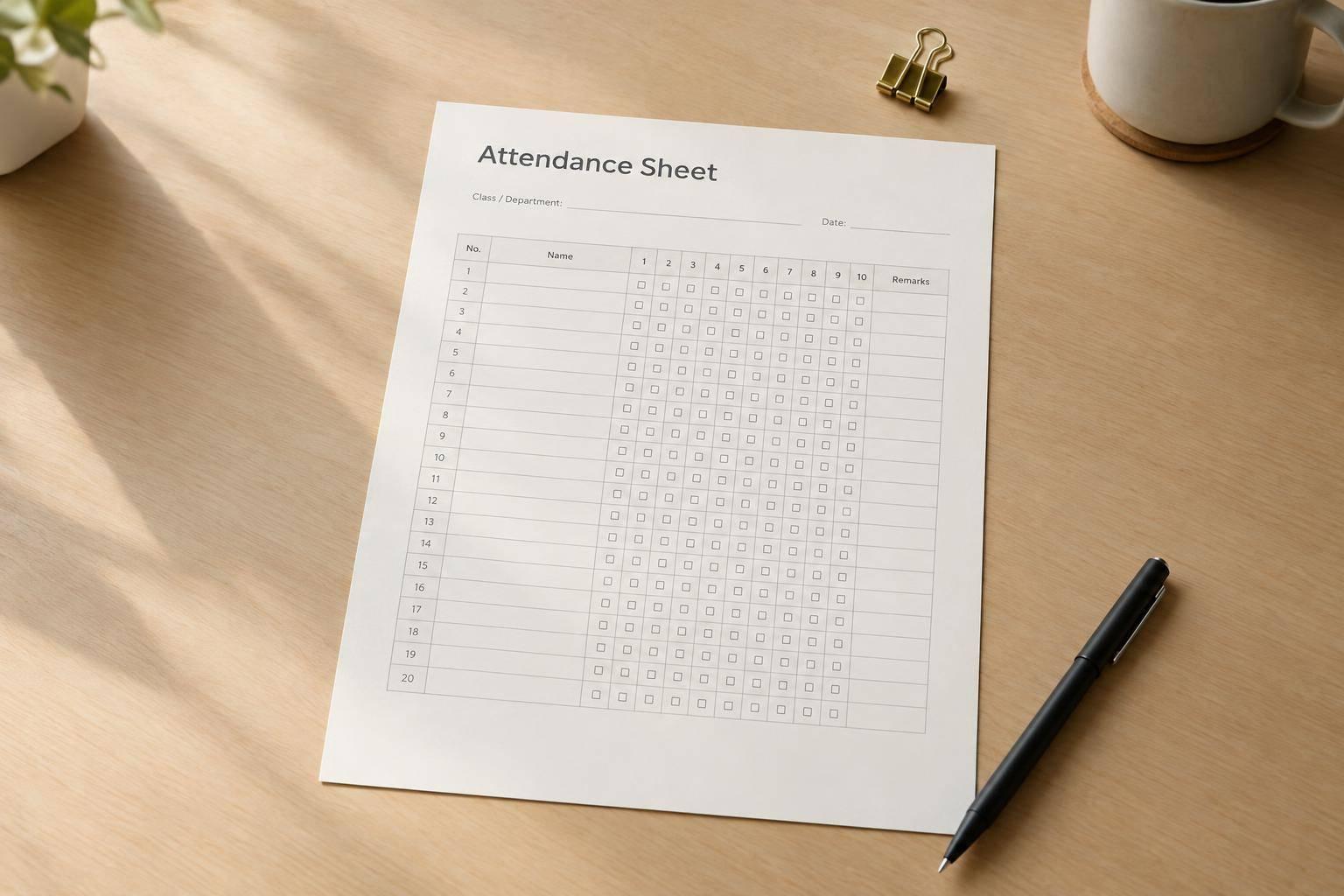
A good attendance sheet template should do one job really well: help you record attendance clearly without slowing you down. This tool is built for teachers, managers, coordinators, and supervisors who need a practical layout that works in real settings, from classrooms and staff meetings to workshops and special events.
Instead of forcing a one-size-fits-all format, the tool lets you choose the tracking period, participant setup, and attendance markers that match your routine. You can create a daily register, a weekly sign-in sheet, a monthly log, or a custom schedule for short programs and rotating sessions.
The finished attendance sheet template is designed for legibility first. Date columns stay organized, participant rows remain easy to scan, and optional fields like ID, notes, and totals can be added only when you need them. That makes it just as useful on screen as it is on paper.
If you need a dependable attendance tracker that feels polished without being overbuilt, this tool gives you a straightforward way to create a record sheet you can actually use every day.
Yes. The layout is designed to work well for classrooms, offices, training sessions, clubs, and events. You can customize the title, group name, date range, and attendance markers so the sheet feels appropriate for the setting without adding extra clutter.
That's not a problem. Instead of entering names, you can generate a set number of blank rows and fill them in later by hand or after printing. This is especially useful for events, temporary groups, or situations where attendance changes from session to session.
If you enable totals, the template adds summary columns or a summary row that helps you track how many times each participant was marked present, absent, late, or excused, depending on the format you choose. It gives you a quick snapshot without making the sheet harder to read.