How to Train Event Staff on Emergency Communication Tools
May 5, 2026

In emergencies, fast and clear communication can save lives and prevent chaos. Untrained staff may unintentionally delay responses, but with proper training, your team can act decisively and handle risks within seconds. Here's how to prepare your event staff for emergencies:
Proper training ensures your team can respond quickly and confidently, preventing small issues from escalating into major incidents.
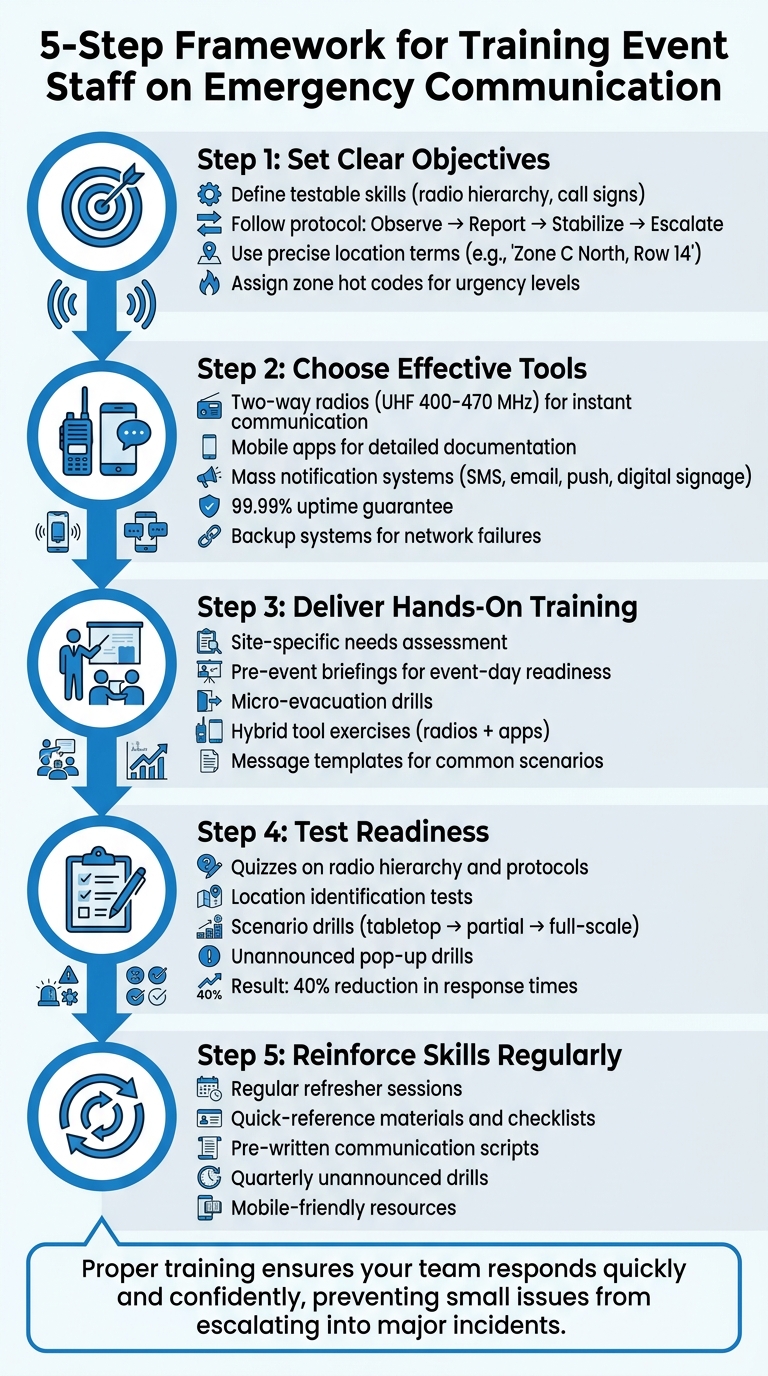
5-Step Framework for Training Event Staff on Emergency Communication
Before introducing any communication device, it's crucial to outline specific, measurable objectives. Vague goals like "be ready for emergencies" won't cut it when quick, precise action is required. Instead, focus on outcomes that can be evaluated. For instance, can your team confidently identify their location using the venue's naming system? Do they know which communication channel to use first, and can they follow the correct sequence without hesitation?
Training outcomes should focus on concrete, testable skills. For example, staff must understand radio hierarchy and call signs, starting with the "lowest appropriate channel" to avoid duplicate reports. They should also follow a standard reporting sequence: Observe → Report → Stabilize → Escalate. Location accuracy is another critical skill - team members should use precise map-based terms like "Zone C North, Row 14", rather than vague descriptions.
Additionally, staff should practice assigning "zone hot codes", which provide supervisors with a quick shorthand for the urgency of a situation. Communication tone is equally important - training should emphasize using a calm, steady voice with clear, brief commands such as "hold here" or "this way" to maintain order and avoid alarming guests. These skills should be tailored to the specific risks and challenges outlined in your venue's emergency plan.
Your training objectives should directly support your venue's emergency action plans, ensuring quick and effective responses. Build these objectives around site-specific risks, such as identifying pinch points, radio dead zones, and rally points unique to your location. Establish clear escalation thresholds so staff know when to notify the control room about a minor issue that could escalate.
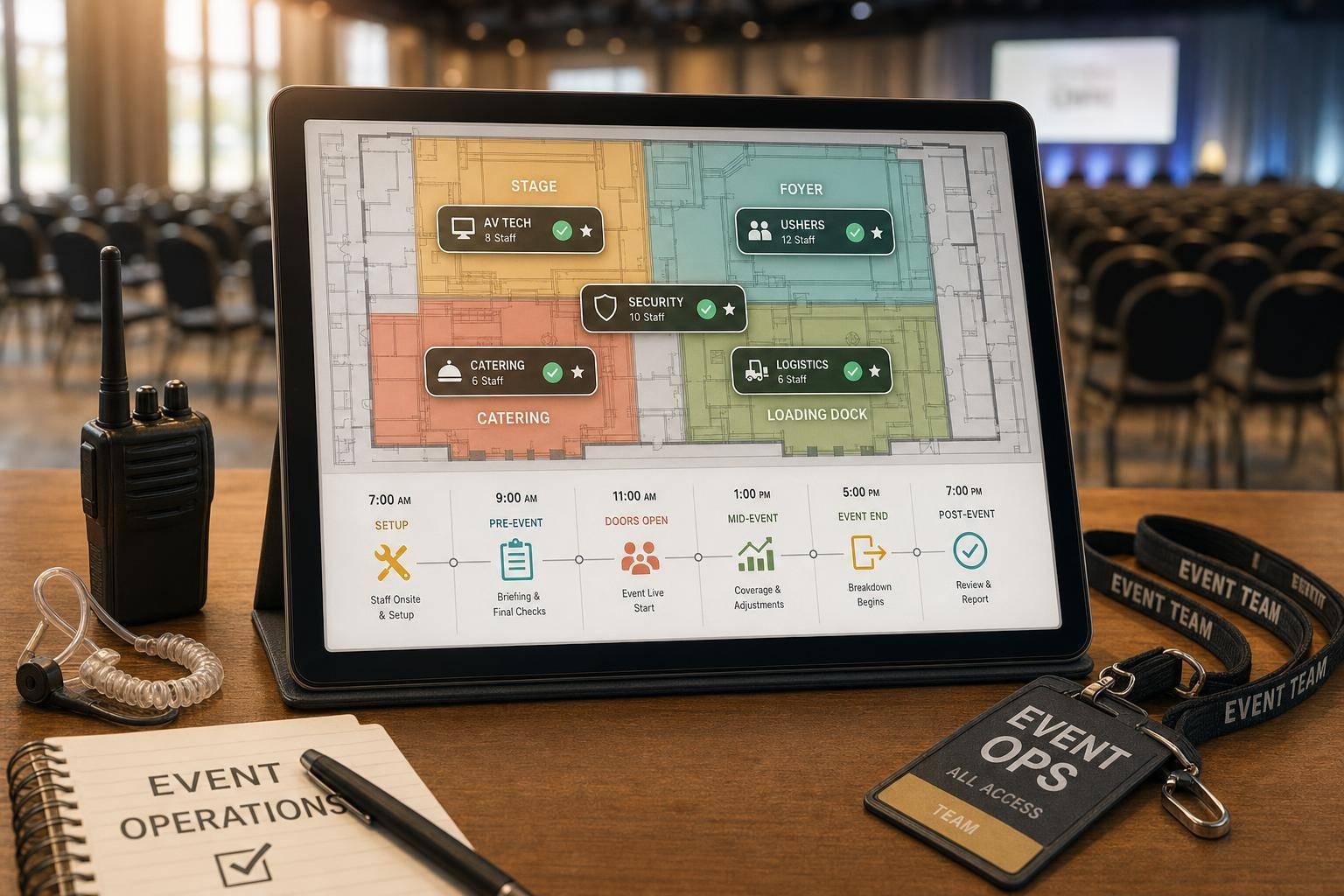
Even if you don't use formal Incident Command System (ICS) terminology, align your training with its structure. Walk staff through hazard maps before opening and explain their roles in straightforward terms. Clearly define role-specific responsibilities - such as Observers, Flow Controllers, and ADA Assistance - to ensure everyone knows their duties. This avoids common event staff scheduling challenges and the pitfall of "paper plan syndrome", where written procedures fail to translate into practical readiness. Once these objectives are in place, the next step is selecting and introducing the right communication tools.
Once you've established your training goals, the next step is selecting the right communication tools and ensuring staff are trained to use them effectively. A smart strategy combines two-way radios for instant communication with mobile apps that handle detailed documentation and coordination. This mix provides the immediacy of push-to-talk communication while also offering a searchable history for compliance and after-action reviews. Together, these tools create a reliable system with built-in backup options.
The tools you choose should align with the specific, measurable outcomes of your training. Two-way radios are especially crucial during emergencies because they don’t depend on cellular networks, which can fail or become overloaded during large-scale incidents. For example, UHF radios, which operate on the 400–470 MHz band, bypass cell towers entirely, making them a dependable choice when other systems are unavailable. For larger venues, consider 4G LTE Push-to-Talk over Cellular (PoC) radios, which extend range as long as cellular networks remain operational.
In addition to radios, implement mass notification systems capable of broadcasting alerts through SMS, voice calls, email, mobile push notifications, and digital signage. High-quality systems often guarantee 99.99% uptime and can deliver messages in seconds. Look for platforms offering two-way accountability features, allowing staff to send status updates like "I am safe" or "I need help". To be prepared, create message templates for common scenarios - such as evacuations, shelter-in-place orders, or lockdowns - in multiple languages before an emergency arises.
To strengthen your backup protocols, diversify your communication channels. Relying on a single tool leaves dangerous gaps in your system. Elizabeth Rupert from Joffee Emergency Services emphasizes:
"The most effective emergency alert systems are built around a layered approach rather than a single tool".
Begin with your fastest broadcast method, like an app push notification or SMS. Reinforce the message visually with LED boards or digital signage, and have trained staff deliver calm, verbal instructions to ensure clarity.
While radios offer immediate communication, mobile apps like Slack or WhatsApp provide additional features such as searchable histories and the ability to share media like photos and notes for detailed incident documentation. Train your team to use the appropriate tool based on the urgency of the situation and the need for thorough documentation. By understanding the strengths of each tool, your staff can respond quickly and effectively in any scenario.
Creating a strong training program begins with a site-specific needs assessment. Your venue’s layout, possible hazards, and operational scale should determine how your team is trained to communicate during emergencies. Take a walk through the site to identify areas with poor communication, such as dead zones for radios, pinch points, or spots where signals might fail. By tailoring your training to address these specific risks, you can prepare your staff to respond effectively. This step also helps you decide which training methods will best tackle the unique communication challenges of your venue.
The format of your training should match the complexity of the skills being taught. For event-day readiness, pre-event briefings are ideal. These sessions can bring together managers, staff, volunteers, and ushers to review key details like venue entrances and exits, practice using code words for sensitive situations (e.g., “unwanted guest” for security concerns), and confirm who is responsible for monitoring weather updates.
For more structured skills, like understanding radio protocols and maintaining message clarity, classroom sessions are effective. Meanwhile, online modules work well for annual certification refreshers. David Etkin, Graduate Program Director at York University’s Disaster and Emergency Management program, highlights a common pitfall:
"One of the missing elements in the CEM [Comprehensive Emergency Management] model is that it does not explicitly differentiate between and address issues of capacity... This can lead to, for example, the 'paper plan syndrome', which is the illusion of preparation based only upon planning documents."
To counter this, prepare message templates and timing checklists in advance. Scripts for evacuations, shelter-in-place orders, or lockdowns ensure no critical details are overlooked during high-pressure moments. Train your team to deliver these messages in a calm, clear, and assertive manner, avoiding unnecessary information that could confuse attendees. The goal is to ensure everyone understands and can execute communication protocols seamlessly when it matters most.
Practical exercises turn theoretical plans into actionable skills, reducing the risk of falling into "paper plan syndrome." For example, conduct micro-evacuations where staff practice clearing a single section or row without causing panic. Emphasize the importance of clear map labeling to prevent delays caused by ambiguous location reports.
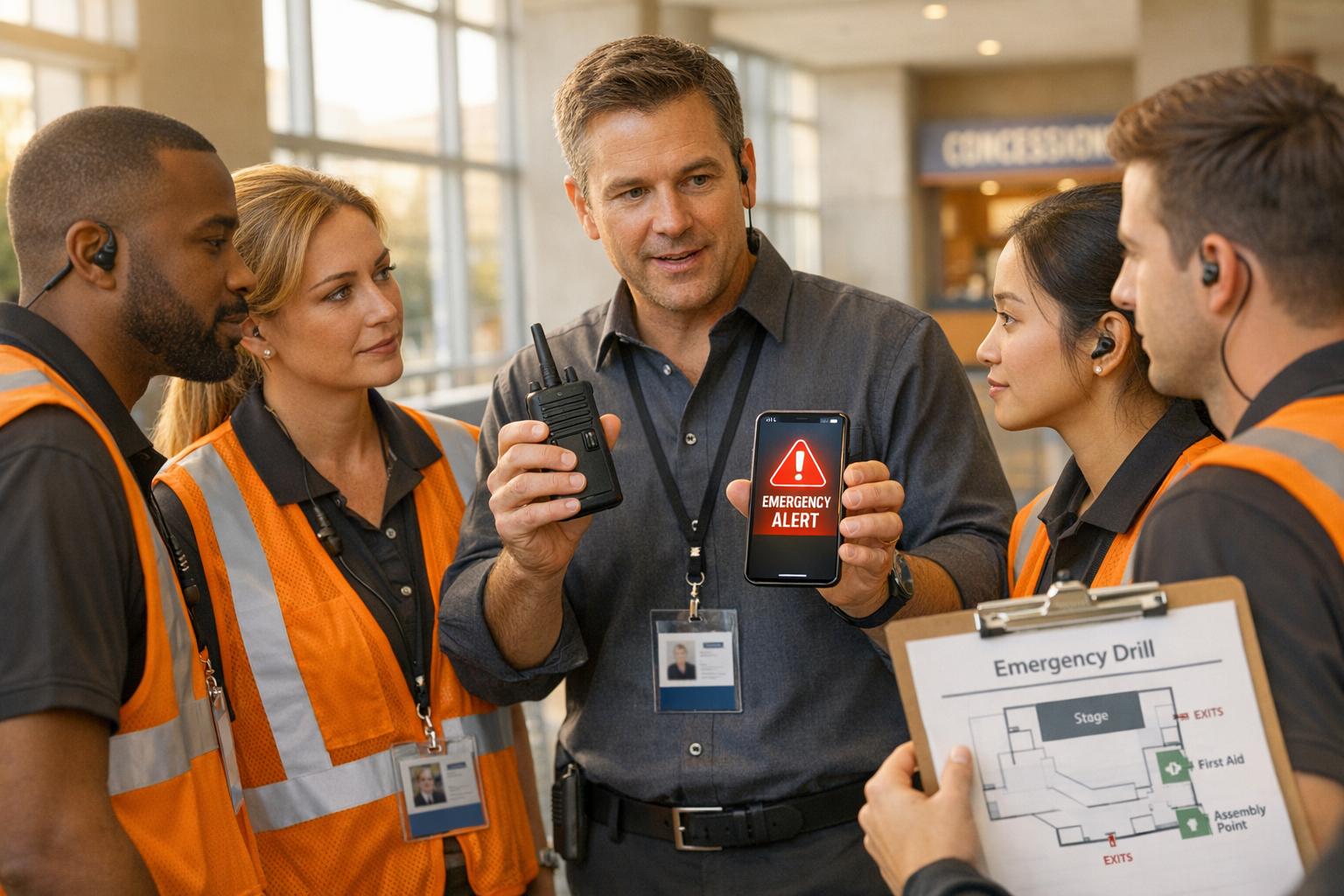
Incorporate hybrid tool drills to teach staff how to use radios for instant alerts while documenting incidents with mobile apps, including photos and notes. Simulate real-world triggers, like heat warnings or lightning proximity, to test whether staff know when to switch to backup communication channels. These drills prepare your team to respond quickly and effectively under stress. With hands-on practice in place, the next step is to evaluate and test staff readiness through measurable assessments.
Practical exercises are just the beginning. To ensure your team is fully prepared for emergency communication scenarios, you need to put their skills to the test. Testing not only highlights areas for improvement but also confirms that your team can execute protocols under pressure, not just recite them. Incorporating quizzes and scenario drills into your training can help identify and address gaps before a real emergency arises.
Quizzes - whether written or online - are a powerful tool to gauge how well your staff understands the key elements of your emergency communication system. Focus your questions on essential topics such as radio hierarchy, call signs, and channel usage. For example, staff should know which channel to use first and how to identify themselves correctly.
Location identification is another critical area to test. Ask team members to describe specific areas using your venue's map naming conventions. For instance, they might need to report a location as "Zone C North, Row 14 cross-aisle". Precision in location reporting can save valuable time during an emergency.
Additionally, include questions about the proper sequence for handling incidents. Staff should know when to manage a situation on their own and when it's time to call for backup. If your venue uses both radios and mobile apps, test their ability to coordinate between the two. For example, radios may be better for immediate alerts, while apps can handle detailed documentation.
To track and certify skills systematically, consider using a Position Task Book (PTB). This tool ensures that personnel meet the minimum requirements for specific communication roles and creates a clear record of who has been tested and certified. Once foundational knowledge has been verified, move on to live drills to test these skills in action.
Scenario drills are where theory meets practice. These exercises allow you to see how staff perform under real-world conditions. Start small with tabletop exercises, where teams discuss their responses to hypothetical situations. Then, advance to partial drills that focus on specific skills, such as medical responses or evacuation plans. Finally, conduct full-scale simulations involving multiple departments and, if possible, local emergency services.
Design drills to replicate realistic challenges your venue might face. For example, you could simulate a power outage, requiring staff to navigate in the dark and switch to backup communication systems. These scenarios reinforce the emergency communication strategies you've already developed. Assign roles like "confused guest" or "panicked guest" to test how well staff can deliver calm, clear instructions under stress.
Unannounced "pop-up" drills can be particularly effective. By running these quarterly, you can test spontaneous readiness. In fact, venues that implement unannounced drills have seen a 40% reduction in average response times during simulated incidents. For example, The Garden Estate replaced its annual training with quarterly pop-up drills after a summer storm, significantly improving their emergency response times.
Wedding expert Gabriel Alves highlights the importance of empowering staff:
"A true safety culture thrives when every individual understands their role in protecting others and feels empowered to make a difference, not just follow orders".
Drills also provide an opportunity to audit your equipment. Check that communication devices are charged, backup power sources are accessible, and staff know how to swap batteries or switch channels during an incident. After each drill, gather feedback through a debrief session to pinpoint where protocols fell short or technical issues occurred. This continuous feedback loop ensures that every drill strengthens your team's readiness for whatever comes next.
Training isn't something you do once and forget. Emergency communication skills can fade without regular reinforcement, and having a plan on paper won't guarantee your team is truly prepared. Ongoing practice helps solidify the training objectives discussed earlier, making sure every team member is ready to act swiftly when every second counts.
Don't limit training to an annual review - make refresher sessions a regular part of your schedule. Pre-event safety briefings are a great starting point. Use these sessions to review hazard maps, pinpoint potential problem areas, and go over your Incident Command System (ICS) in plain, straightforward language.
Practice using venue-specific location references to cut down response times. Walk your team through the actual space, identifying "dead zones" where radios may not work and marking rally points clearly. This hands-on approach helps staff understand the layout and anticipate challenges.
Supervisors need more in-depth training than the general team. Their sessions should focus on decision-making timelines, escalation protocols, and shorthand signals (or "hot codes") that convey the urgency of a situation. Rotate staff through various drill scenarios so everyone understands when supervisors need to step in and when they should hold back. This prevents duplicate reporting and keeps communication lines clear.
For larger events, documented drills aren't just helpful - they're often required to meet compliance standards. These drills should follow a clear sequence: Observe → Report → Stabilize → Escalate. Using tools like Quickstaff can simplify scheduling these sessions and ensure timely notifications for all staff. Beyond drills, having easy-to-access guides reinforces these critical protocols.
Even the best-trained teams can benefit from support during high-pressure situations. Equip your staff with quick-reference materials to help them stay focused and effective when it matters most.
Create checklists that outline key responsibilities, medical triggers, radio protocols, and escalation steps. These tools serve as a guide, ensuring staff can act precisely under stress. Include hazard maps with the same naming conventions used in training, as well as ADA-specific routing guides that highlight accessible exits and ramps for guests with mobility challenges.
Pre-written communication scripts can also be a lifesaver. Scripts for common situations - like reuniting lost individuals or calming guests - help maintain consistent messaging and a composed tone during emergencies. Simple instructions like "hold here" or "this way" keep guidance clear and prevent panic. Adding zone-specific "hot codes" to these materials allows supervisors to quickly assess the severity of a situation.
For quick decision-making, include a one-page reference showing which communication tools to use based on urgency and documentation needs. To support continuous improvement, provide structured incident reporting templates to log observations effectively.
Make sure all quick-reference materials are mobile-friendly. This way, staff can access critical information on the go, no matter the conditions they’re working in.
Training your event staff on emergency communication tools goes beyond meeting compliance requirements - it's about preventing small problems from spiraling into major incidents. When your team can quickly identify and report issues, they help control risks before guests even notice anything is amiss.
Clear objectives and a solid grasp of communication tools are the foundation of effective emergency protocols. But these protocols can't just exist on paper - they need to be practiced, tested, and reinforced until they become second nature.
Regular drills and accessible resources ensure your staff stays prepared to handle real-world situations. Refresher sessions and quick-reference guides help keep their skills sharp. By consistently following established protocols, your team not only minimizes liability risks but also ensures guests receive calm and clear guidance during emergencies. Plus, investing in ongoing training can improve your insurance standing, build trust with regulators, and most importantly, enhance guest safety.
The key to an effective emergency plan lies in your team's ability to execute it flawlessly. Make training a priority, and you'll create a team ready to act decisively when every second counts. Tools like Quickstaff can help integrate communication and staffing operations, giving your team the confidence and coordination they need when it matters most.
If radios or cell service go down during an event, it's important to have backup communication methods ready. Consider using hand signals, visual cues, or predefined gestures to keep everyone on the same page. Make sure your team is trained on these non-verbal signals and that there's a clear emergency communication plan in place. Also, assign at least one member of the management team to have access to backup tools, like satellite phones or two-way radios, to ensure coordination and safety when the main systems aren't working.
Regular practice is essential to keep your team ready for emergencies. While there’s no strict rule for how often drills should be conducted, the schedule should match your team’s specific needs and your organization’s policies. The goal is to ensure everyone stays confident and prepared to use emergency communication tools effectively.
The best way to check if staff truly understand the emergency communication protocol is to conduct a quick, hands-on test. This could be a scenario-based drill or a short Q&A session immediately following their training. These real-time evaluations help confirm they can apply the protocol correctly when faced with a real emergency.