Data Privacy Policies for Staffing Agencies
August 24, 2026


If you run a staffing agency, your privacy policy should answer 6 questions right away: what you collect, why you collect it, who gets access, where it goes, how long you keep it, and how people can ask for access, fixes, or deletion.
I’d keep it simple: a staffing agency handles candidate data, client data, scheduling details, payroll records, device data, and sometimes location data. That means the policy can’t just be a legal page. It needs to match how recruiting, shift scheduling, payroll, vendor sharing, and record deletion work day to day.
Here’s the short version:
A policy like this does two jobs at once: it helps with compliance, and it shows candidates, workers, and clients what happens to their information. That matters, especially when staffing teams move data across many tools and people in a single shift cycle.
One useful fact: privacy laws often focus on notice, consent, access rights, and deletion rights. So if your policy skips those points, it leaves gaps fast.
Below, I break down what a staffing agency privacy policy should cover and how I’d turn those rules into daily staff workflows and software settings.
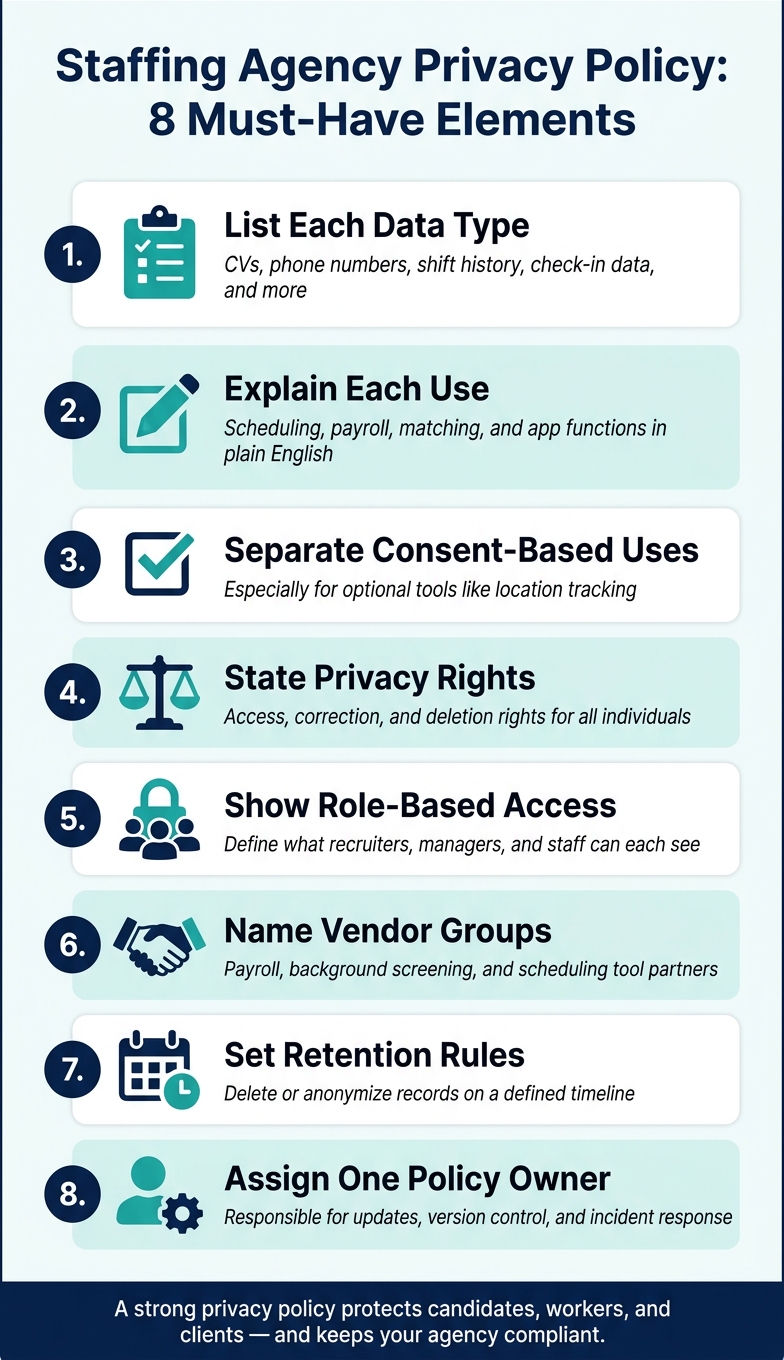
Staffing Agency Privacy Policy: 8 Must-Have Elements
A staffing agency privacy policy should spell out what data you collect, why you collect it, and, when needed, the legal basis for using it. The key is to connect each data type to the part of the workflow that creates it - recruiting, scheduling, payroll, or client service.
Here’s a clear way to lay that out:
| Data Category | Specific Data Types | Business Purpose |
|---|---|---|
| Candidate/Staff | Name, email, phone, CV, skills, roles (e.g., Server, Bartender) | Recruitment, onboarding, and matching to shifts |
| Operational | Availability, block-out dates, check-in/out times, reliability ratings | Scheduling, conflict avoidance, and payroll verification |
| Client/Event | Event location, date, hourly rate, dress code, attached notes and files | Event planning, logistics, and staff instruction |
| Technical | Precise location, device ID, user ID, usage data | App functionality, check-in verification, and analytics |
If your policy uses legal-basis language, don’t leave it vague. Pair each basis with the exact purpose. That way, readers can see how a data category connects to actual use, not just broad legal wording.
Your policy should also explain which uses need consent and how someone can pull that consent back. This matters most for optional tracking tools. If a tool isn’t needed to run the service, say so, and explain how users can turn it off later.
Location data needs special care. If you use it for check-in verification and app operation, say that plainly. If you also use the same location data for analytics or advertising, list that as a separate use. Don’t bundle it all together.
People should also be able to tell what rights they have and how to use them. That includes requests for:
Your policy should also disclose any automated matching or screening tools you use. If software helps rank candidates, suggest shifts, or screen people before a human review, readers should know.
A good privacy policy doesn’t stop at collection. It should explain where data is stored, who can access it, how long it stays there, and when it is deleted.
Access rules should match how the agency works day to day. Role-based permissions matter here. Managers may need a full view of staffing levels across events and scheduling calendars. Staff members, by contrast, should only see their own shifts and availability. Your policy should mirror that setup instead of talking about access in broad terms.
Vendor sharing needs the same level of detail. Name the vendor categories and state what each one receives and why. That can include payroll providers, background screening companies, and scheduling software. If a vendor uses data for anything beyond service delivery - like analytics or advertising - you should say that plainly too.
Retention should tie back to the type of data involved. For example, you might keep shift records for payroll needs while deleting non-hired candidate data based on the timeline set in your policy. That kind of detail helps people understand what stays, what goes, and why.
These policy rules only work when staff and software follow them day to day.
Turn policy rules into documented workflows. If your policy says what data you collect, the next step is to map where that data goes.
Start with the main entry points: staff profile creation, availability block-outs, and event creation, along with attached notes and PDF files. Then trace each path that data takes. For example, an automated work invitation sent by email may include event details and roles for a staff member. Write down each transfer so your team knows what moves, when it moves, and who can see it.
A digital staffing platform can keep those data flows in one place and make the audit trail easier to follow.
Those mapped flows should line up with your access settings and storage rules.
Limit access by role.
Use role-based access control (RBAC) to split employer permissions from worker access. Keep employer accounts focused on posting, reviewing, and scheduling. Keep worker accounts limited to personal profiles and availability.
Permissions are only part of the job. Review attached files like PDF briefing documents, notes, and dress codes to make sure they don't include extra sensitive information. It also helps to lock down storage settings so staff data is visible only to the people who need it.
Once access is limited, apply that same discipline to how long each record stays in the system.
Retention rules should be built into the same workflow, not left to individual judgment. Set one rule for each data type, and use it the same way every time.
Some records can be deleted or anonymized so the working data stays useful without identifying anyone. Add the deletion or anonymization step directly into the workflow so staff can follow it without making case-by-case calls.
Once your internal process is set, apply the same rules to your vendors and the software you use every day for scheduling.
A lot of the tools a staffing agency relies on - payroll providers, background check services, cloud storage, and communication platforms - act as data processors.
Before you share candidate, employee, or client data with any of them, make sure there's a data processing agreement (DPA) in place. Review what each vendor collects, why they process it, and whether any of it is used for advertising before agency data is shared.
Look closely at a few things:
Your DPA should spell out the exact purposes for processing and the vendor's duties when handling agency data. Those terms should line up with the sharing and retention rules in your policy.
A written privacy policy, by itself, doesn't do much. Your software settings need to match it.
The table below links common policy rules to software features you can set up.
| Privacy Requirement | Software Feature to Configure |
|---|---|
| Limit data access by role | Role-based user permissions |
| Record staff consent for assignments | Accept/decline shift invitations |
| Keep communications auditable | In-app messaging instead of personal email or SMS |
| Control document distribution | Attached notes and files within event records |
| Reduce unnecessary data collection | Staff-managed availability and block-out dates |
Set up your software so the right behavior is the default. If staff can only view their own scheduled events, and managers can only open the information they need to post and review shifts, you cut down exposure without asking people to make the right judgment every single time.
These controls matter even more when one platform holds scheduling, messaging, and event records.
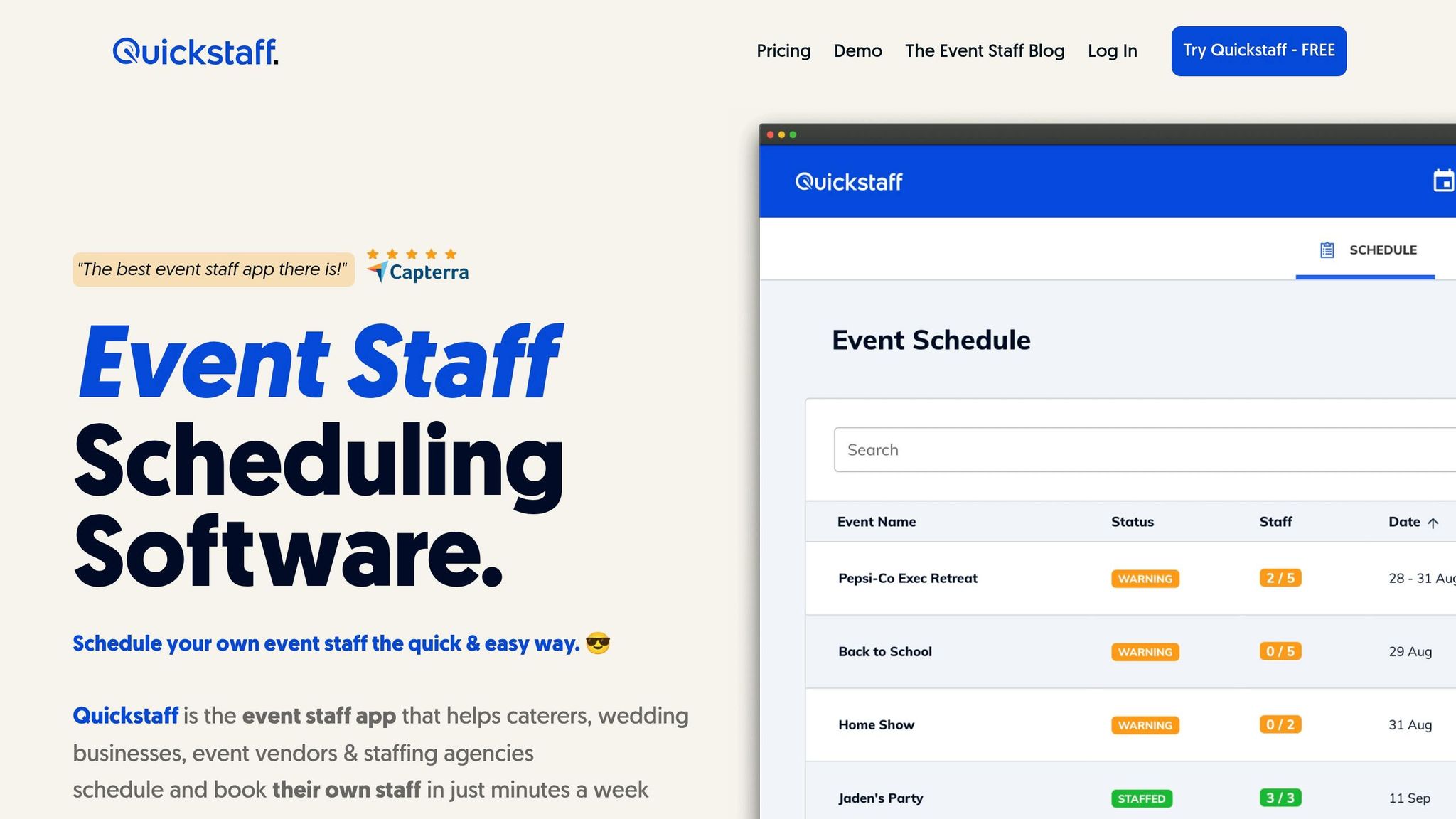
Keeping scheduling and messaging in one place helps reduce uncontrolled data sharing. Quickstaff centralizes scheduling, availability, messaging, and event records, which makes audit trails easier to follow. Staff can manage their own availability with block-out features, work invitations create a clear record of who accepted which shift, and event-specific documents can be attached directly to records instead of being sent through unmanaged channels.
If Quickstaff or its partners use geolocation or device IDs, disclose that use in your policy. Disclose that use to candidates and staff in your privacy policy.
Once policy rules are built into software and vendor workflows, someone needs to own them. Assign a clear policy owner, and make sure incident response, review timing, and updates after workflow or vendor changes are tied to specific roles - not left vague or shared by everyone and no one.
After ownership is set, track every policy revision so staff and vendors follow the same rules. Keep a version log that includes the revision date, what changed, and why. Also log each revision date with a short summary of the update.
If a change affects how data is collected, accessed, retained, or shared, tell the people who act on those rules. That usually means staff, managers, and vendors. The goal is simple: no one should be working from an old version of the policy.
A staffing agency privacy policy should state who owns it, how updates are handled, and when changes are shared. It should also stay in step with current recruiting, scheduling, payroll, and vendor workflows.
It depends on the laws that apply to your agency, such as the CCPA for California residents or GDPR for others. In many cases, data collection does not always require consent. Still, your privacy policy should clearly spell out what you collect and how consent is handled.
Staffing agencies often deal with sensitive information, so it helps to get organized early. Map the data you collect, note who handles it, and keep signed privacy acknowledgments on file.
Retention periods depend on the type of record. For most staffing agencies, that means keeping payroll records, sales records, collective bargaining agreements, and detailed personnel and assignment files for at least 3 years.
Other records have their own timelines:
That’s why recordkeeping can’t be a one-size-fits-all process. Each file type follows its own clock, and mixing them together can cause problems fast.
Software helps enforce a staffing agency privacy policy by automating access control, data protection, and accountability.
For example, it can limit access based on a person’s role, expire permissions when an assignment ends, require MFA, and protect data through encryption.
It also creates audit logs that show who accessed data and what changed. On top of that, it can track digital policy acknowledgments and cut risk with session timeouts, device management, and centralized communication tools.