sACN Source Priority: Backup Console Training Guide
October 30, 2026

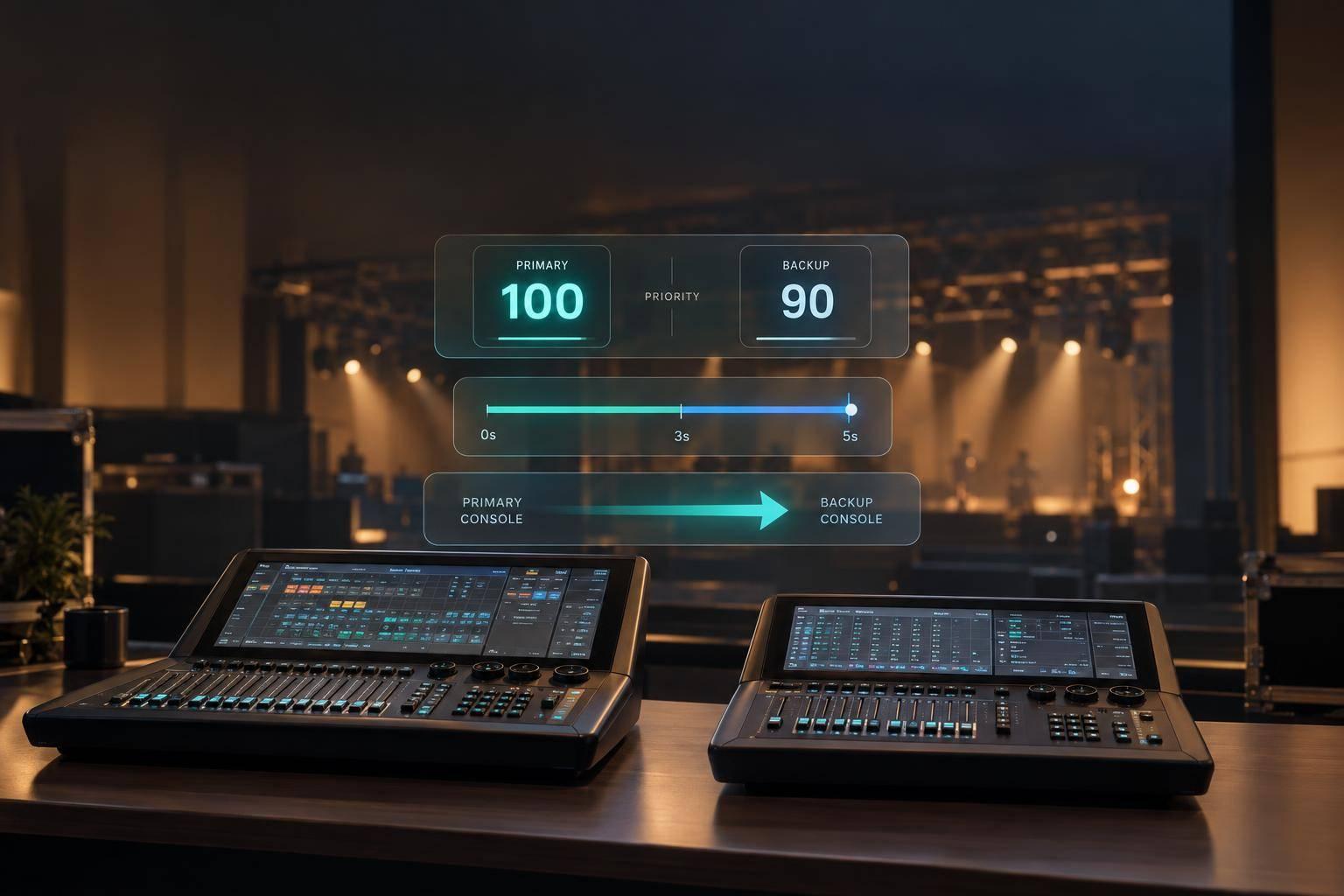
I don’t count a backup console as ready until takeover and restoration both pass a supervised test. sACN uses priorities from 0–200, with 100 as the default. A lower-priority backup may wait about 2.5–3 seconds for source-loss detection before taking control.
My checklist covers four things:
Priority selects the source; it does not synchronize the show. I verify both, then require <u>documented approval before show day</u>.
With priorities documented, check that the backup console matches the show file and sends the expected output. Have a qualified technician finish setup before rehearsal. A network connection or matching defaults do not prove the backup is ready. Check both the console settings and the output at the receivers.
Match the show file, fixture personalities, patch, channel assignments, and sACN universe mapping. Confirm software compatibility, network interfaces, VLAN settings, and output protocol. Check cue and playback states, along with any timecode or MIDI assumptions. Follow the manufacturer’s redundancy requirements when pairing consoles.
Verify that the backup sends the intended priority on every affected universe. Document the expected active source and takeover trigger. Include how receivers select the backup after the primary stops transmitting and the source-loss timeout expires.
Before connecting the backup to production output, use an isolated output interface or approved monitor to compare channel levels, fixture parameters, cue lists, palettes, and macros. Do not force takeover during a live performance without supervisor approval and a rollback plan.
Once the show data matches, check whether the console can change priority automatically during failover.
On supported ETC Eos multi-console systems, Backup Takes Over at Higher Priority lets the backup increase its sACN output priority by one level when it takes control after the primary goes offline. This feature is specific to the product - not standard behavior across sACN systems.
Check the installed version’s documentation for the supported console relationship, setting location, reference priority, increment, behavior at maximum priority, and restoration procedure. Don’t assume the takeover value is always standby priority plus one. Eos documents an output-priority setting of 1–200, while sACN supports 0–200. A value of 201 is not valid.
Verify that the takeover priority exceeds every competing source on the affected universes. If the system uses per-address priorities, check those changes too.
During the approved, supervised test, record the priorities transmitted by the backup. Confirm receiver selection and fixture output on every affected universe. Document how the backup gives up control and whether its priority resets automatically or needs operator action before the primary is restored.
Define the exact failure trigger and who can authorize action. Give each duty one qualified owner, and record their name, role, phone or radio contact, technical qualification, alternate contact, and sign-off.
The rehearsal sheet should also include the test window, communication channel, affected universes, console names, priority map, approved trigger, and pass/fail criteria. Then rehearse the handoff under controlled conditions.
Assign duties using the matrix below. Replace escalation contacts with actual names and contact details, then use the completed sheet to brief the crew before the supervised test.
| Role | Pre-test duty | Takeover duty | Post-test duty | Escalation contact |
|---|---|---|---|---|
| Primary operator | Confirm the approved show file, current playback state, and expected output | Simulate primary output loss only as authorized | Confirm restored show state and control | Lighting supervisor |
| Backup operator | Confirm the backup is loaded and ready for the approved takeover trigger | Follow the approved takeover procedure and report control status | Return to standby and confirm synchronization | Lighting supervisor |
| Systems technician | Verify live output, receiver response, and timing | Record source selection, transmitted priorities, and receiver timeout timestamps | Save logs confirming restored network and receiver status | Systems lead |
| Lighting supervisor | Approve the test window and acceptance criteria | Assess output continuity and abort unsafe output | Review results and assign corrective actions | Production manager |
| Event or stage manager | Coordinate timing and communications | Control drill timing; postpone if production conditions change | Announce completion to affected departments | Event producer or safety lead |
For automatic failover, authorize the simulated failure in advance. A radio cue does not control receiver selection. For manual takeover, require an acknowledged instruction before the backup operator acts.
Agree on short, closed-loop calls, a separate emergency call, an abort phrase, and who may issue it. Stop the test if output becomes unsafe, communication is lost, or authority is unclear. Follow the event safety plan for emergency and restart decisions.
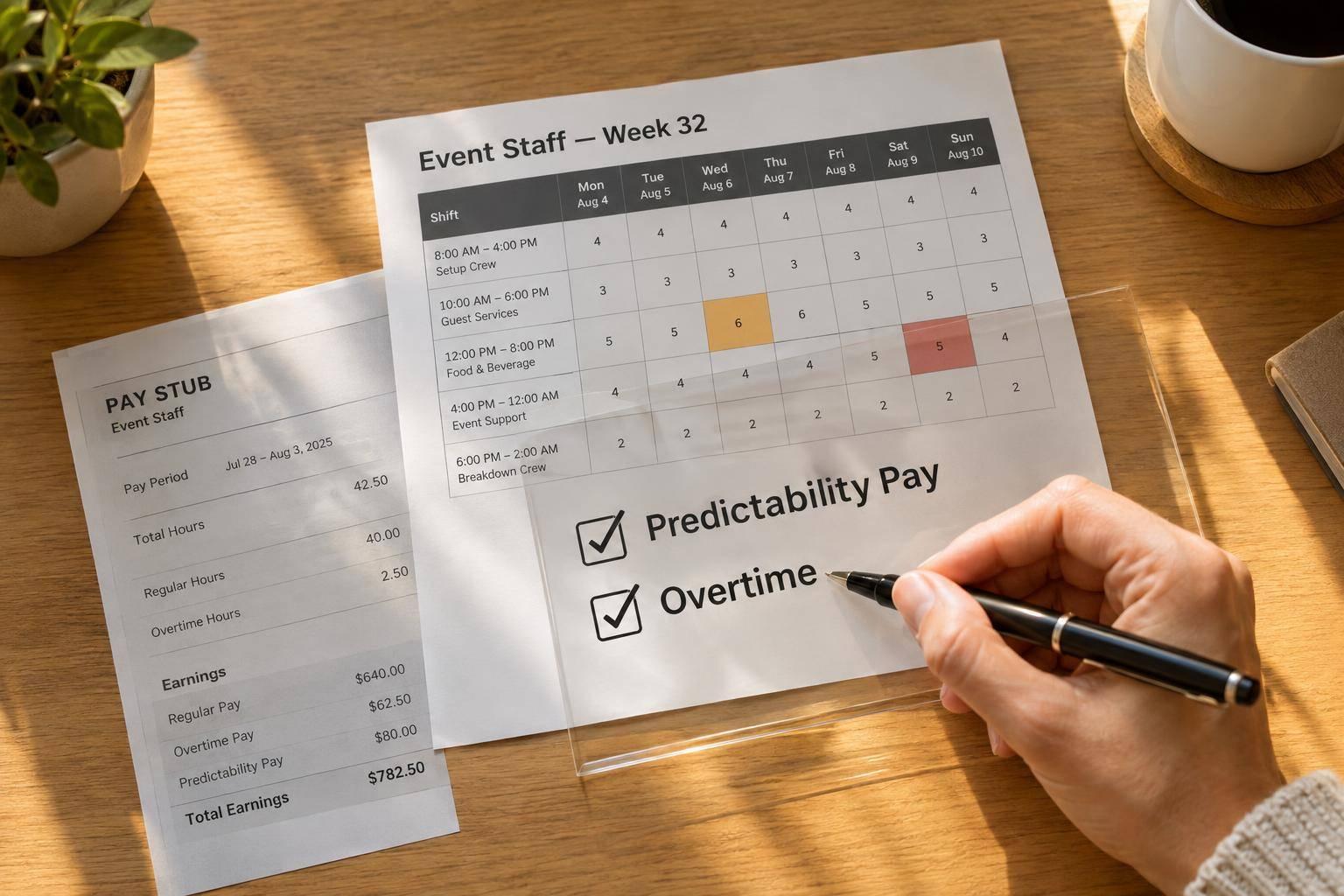
The scheduler or staffing lead should confirm availability, briefing attendance, coverage for the full test window, and named replacements. The lighting supervisor or systems lead must verify technical qualifications. Being available doesn’t mean someone is qualified.
Schedule at least one supervised rehearsal before show day using the actual crew and equipment. Allow time for setup, briefing, baseline capture, takeover, restoration, documentation, corrections, and a second run. Repeat the rehearsal after major system, staffing, or venue changes.
Quickstaff can track rehearsal coverage, availability, replacements, reminders, and event details. It does not test sACN, monitor receivers, or validate priority behavior.

sACN Backup Console Failover and Restoration Test
Before starting the supervised test, use the approved roles, priorities, and pass/fail limits.
Confirm permission and record the baseline. Start only after confirming the approved crew, fallback look, and stop command.
Use a safe fallback look, such as steady work light or the approved standby state.
Do not disrupt required life-safety systems to create the failure. Record the test window, crew, versions, network setup, and affected universes. For each universe, document the active sources, source names or transmitter IDs, configured priorities, effective priority, receiver or node, fixture groups, and current output look.
Check whether the primary and backup show files match. Verify that the backup is synchronized and producing standby output, and identify which console is currently the active source.
Perform only the approved failure. Test one approved failure mode at a time: output stop, network disconnect, or console shutdown. Log the exact action, timestamp, and operator. Each mode can affect source availability and backup synchronization differently. Record whether output stopped silently or sent a stream-termination message; graceful termination may allow faster source selection than an abrupt loss.
After the failure, watch the receivers and fixtures until source selection stabilizes.
Measure source selection and fixture output. Start timing at the approved failure action. Stop when the intended backup is selected and the agreed fixture look is stable. Use synchronized video, logs, or a stopwatch, and record your timing method.
Observe representative fixtures and all affected universes - not just the console display. Note holds, blackouts, flicker, color jumps, or unexpected sources. Source-loss detection alone can take approximately 2.5–3 seconds, depending on the implementation. Backup processing and operator actions can add delay.
Stop the test if output becomes unsafe, emergency or egress lighting is affected, equipment behaves unpredictably, communications are lost, or any predefined acceptance limit is exceeded.
Restore primary control. Once the backup holds the look, restore the primary in the documented order. Follow the manufacturer’s recovery sequence, confirm that the primary is designated to become active, then restore output. Do not restart the primary until control authority is confirmed and the backup has stopped transmitting.
Check for automatic priority changes. ETC Eos supports Backup Takes Over at Higher Priority, which lets the backup take over one priority level above the primary. Once the primary is ready, return priorities to the planned state. Confirm that receivers select the primary, check the intended look on representative fixtures, and verify that the backup has returned to a ready or standby condition.
Pass only if the recorded results meet the prewritten limits. The record must show correct source selection across all affected universes, measured takeover time and timing method, permitted versus observed output changes, working communications, protected safety lighting, and safe restoration.
Include the final priorities, staff names, supervisor approval, and backup-ready status. For every failure, assign an owner, document the correction, and repeat the same scenario under supervision.
Use the recorded failover result to diagnose each affected universe separately.
Use the failover log to distinguish packet loss from priority conflicts and restoration failures.
No takeover: Check universe mapping, the network path, packet delivery, priorities, and whether the primary is still transmitting. Verify VLANs, switch paths, multicast subscriptions or unicast destinations, and the selected network interface. If packets arrive, compare effective priorities and receiver settings. If the primary is still transmitting, it keeps control.
Unexpected takeover: Identify active sources through receiver diagnostics or approved monitoring. Record each source’s name, CID, IP address where available, universe, and effective priority. Check any auto-priority setting before making changes. Increasing priority won’t fix missing packets or incorrect universe mapping.
Once you’ve confirmed packet delivery, check for source conflicts and merge behavior.
Flicker or merged output: Check whether multiple sources share the highest effective priority. Review the receiver’s merge rules, per-address priority where supported, per-receiver source limits, packet loss, and sequence errors. Test intensity separately: a clean intensity merge doesn’t mean the rest of the look is correct. Remove unintended sources or fix the approved merge arrangement instead of increasing priorities blindly.
Incomplete restoration: Confirm the active controller before changing output. Check for mismatches in show state, output settings, and redundancy status. If only some fixtures recover, trace their universes through receiver subscriptions and settings. Verify the selected source and effective priority on every affected universe, then fix each mismatch separately.
Use this compact incident record: Timestamp and time zone; failure condition; affected universes; source names and CIDs; configured and effective priorities; takeover and restoration times; observed result; suspected cause; owner; corrective action; verification method; retest date.
Timestamp and time zone example: 10/31/2026, 2:30 p.m. ET.
Include active sources such as consoles, architectural controllers, media servers, playback systems, gateways, and test laptops. Attach receiver diagnostics, console logs, and approved captures. Assign one owner and one supervised retest to every unresolved issue.
Sign off only when the documented priority map matches receiver behavior and the backup takeover method has been verified on the installed system.
Complete the test log before accepting the backup arrangement. Supervised takeover and restoration tests must pass on the live show network. Keep those results with the approved priority map, software versions, and show-file verification.
Name the takeover operator, verification technician, and recovery supervisor. Confirm that each person has a named, qualified backup.
Before the event, the technical director must approve the priority plan and confirm that the backup is powered, networked, loaded with approved show data, and staffed. Close all open failures or escalate them with a documented contingency and explicit risk acceptance.
When two sACN sources transmit at the same priority, the receiver typically keeps accepting data from the source that connected first. Equal priority doesn’t automatically switch sources or override the current stream.
For reliable backup console takeover, give the primary and backup systems different priority levels. This tells the receiver which source to use if the primary signal is lost.
Set up the backup machine to match the primary playback system: use the same fonts, codecs, software versions, and playback content, with an identical folder structure. Before the event, run hash checks to confirm the files match.
Patch and label the backup input on the switcher. Give the crew a clear procedure that specifies which input to select and which holding slide to use if the primary system fails.
The production manager (or designated technical lead) authorizes recovery after checking readiness and approving the rollback. The recovery lead or alternate then restores the approved backup by following the stored recovery instructions and initials the backup register once the restore is complete.