

Connecteam is an all-in-one app for hourly teams on a weekly schedule. Quickstaff is built for events: you send work offers, and staff who accept are booked.
Try Quickstaff free for 14 days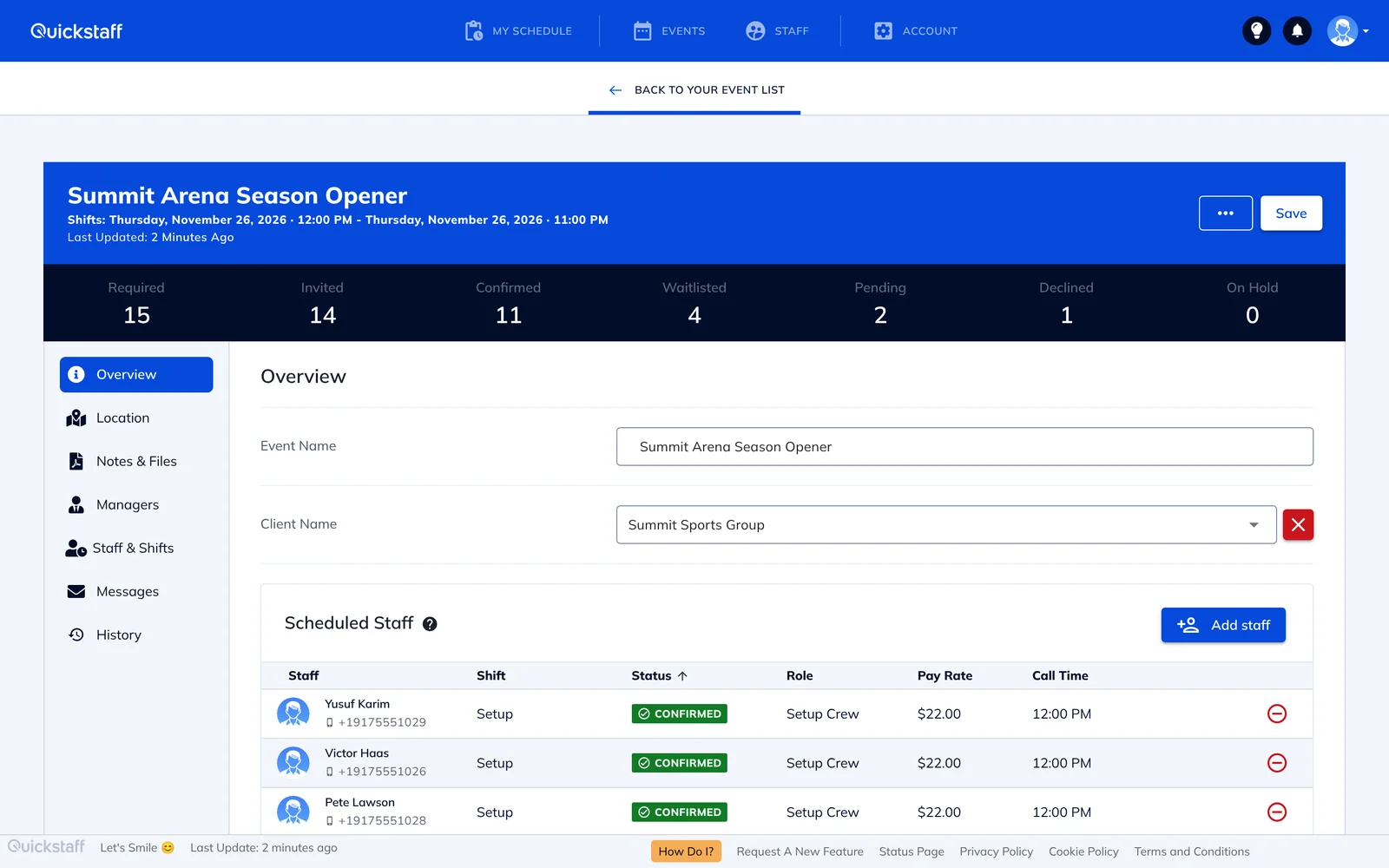
Connecteam is built around a schedule you publish. You build the week, post open shifts, and staff claim them with your approval. Staff set their availability and confirm their schedule in the Connecteam app. Connecteam scheduling, as of 18 Nov 2026.
Quickstaff is built around events. Each event has shifts and roles, and you fill them from your pool of staff:
There's no approval step for each person and no app to install, which matters when your staff are part-time, on call, or change from season to season.
List prices as of 18 Nov 2026, from Connecteam pricing and Quickstaff pricing.
On Capterra and G2, reviewers mention costs that climb past a small team or with add-ons, a lot of features and settings to learn, and notifications that come too often or arrive late. Connecteam on Capterra and G2, as of 18 Nov 2026.
Recent Trustpilot reviews add three more points: constant upselling, with features split across plans and hubs (review, Oct 2026); support mostly through chat, with live help sessions as a paid option and long waits for an agent; and weeks of trouble exporting hours to ADP payroll (review, Oct 2026). Connecteam replied to both reviews and offered to help.
If you manage a steady hourly team on a weekly schedule, need a GPS time clock, payroll integration or HR tools in the same app, or have 10 people or fewer and want a free plan.
Connecteam is an all-in-one app for hourly teams built around a published schedule, with open shifts that staff claim and managers approve. Quickstaff is built only for events: you send work offers by role, and a staff member who accepts is booked straight away.
No. Staff get offers by email and use Quickstaff in their phone's browser.
Yes. By default, anyone already booked for an overlapping shift, or who has blocked out that time, can't be selected until you release them from the other shift.
For basic scheduling, often yes: Connecteam is free for up to 10 users, and its Operations Basic hub is about $55 a month for 50 users on monthly billing, as of 18 Nov 2026. Quickstaff is $99 for up to 70 staff with every feature included.
No. Quickstaff doesn't track hours or run payroll.
Yes. Every plan has a 14-day free trial, and you don't need a credit card to start.


