Shift Schedule Template
September 1, 2026

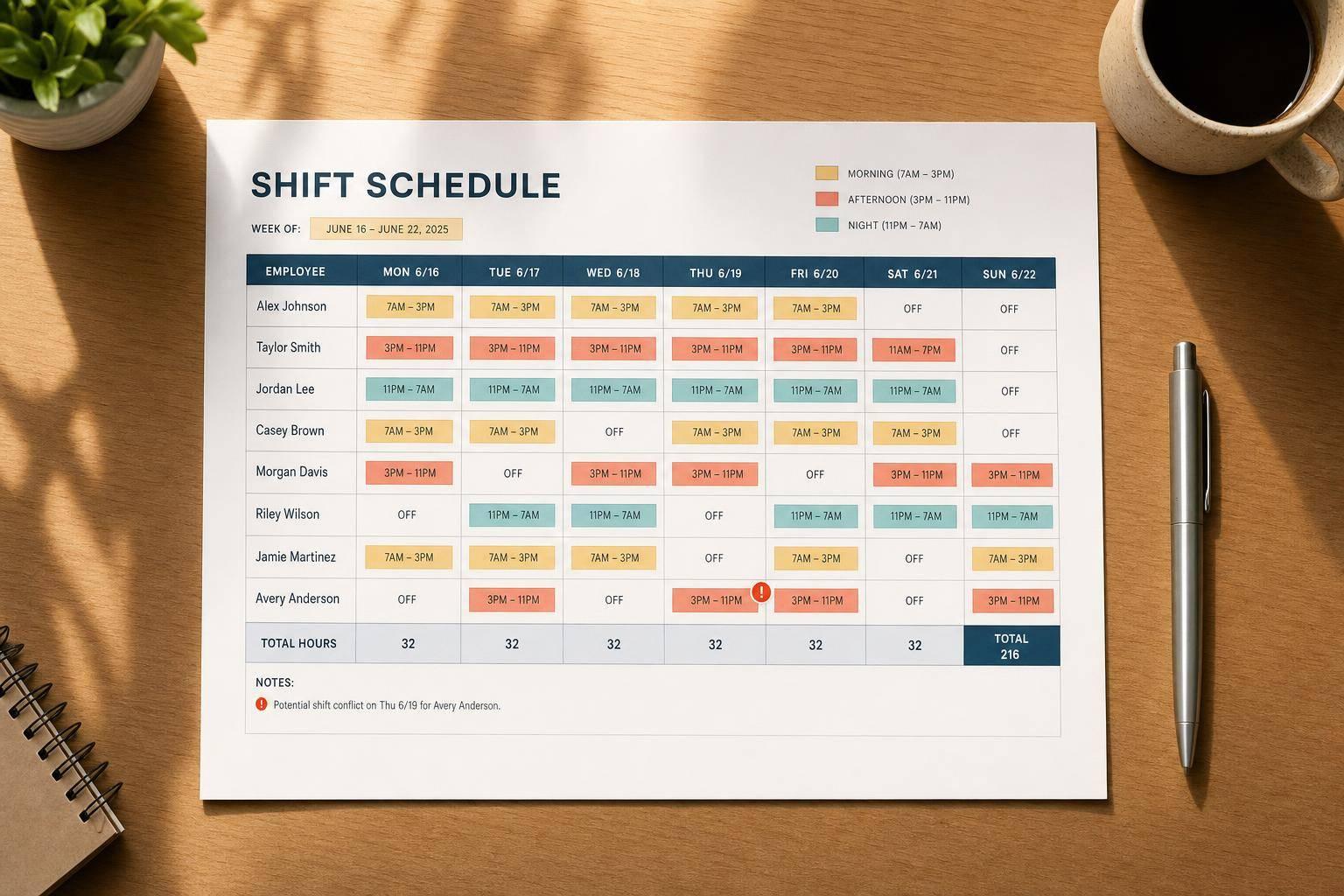
A solid shift schedule template can save hours of back-and-forth every week. Instead of juggling spreadsheets, sticky notes, and text messages, managers can build a clear staffing plan in one place. This browser-based tool makes it easy to set a weekly or monthly range, define standard shift blocks, add employees, and assign work by date.
Team leads often need more than a simple calendar. They need to track roles, preferred hours, maximum hours, unavailable dates, and shift coverage without losing the big picture. This staff scheduling tool helps surface issues early by showing total assigned hours, daily totals, and conflict warnings as the schedule comes together.
Whether you're organizing retail staff, hospitality teams, office support, or rotating crews, a flexible shift schedule template makes planning easier. You can customize morning, afternoon, evening, or fully custom shifts, then review the final grid in a clean format that's easy to print and post. For managers who want a practical employee schedule planner without extra complexity, this tool keeps the focus where it belongs: building a schedule that works for everyone.
Yes. The tool is built for both short-range and longer-range planning, so you can switch between a weekly view for quick edits or a monthly view when you need a broader staffing picture. That makes it useful for routine scheduling, rotating shifts, and planning around time-off requests or busy periods.
It checks for the most common problems managers run into while building a roster. That includes overlapping shifts for the same employee, assignments on dates the employee marked as unavailable, and total scheduled hours that go past the employee's maximum. If you enter required coverage for a day or shift, it can also highlight gaps so you know where you're still short.
Absolutely. The layout is designed to stay readable on screen and on paper, which is important when schedules need to be posted in a shared space. You get a clean grid along with totals and warning indicators, so the printed version is still useful and easy for staff to understand at a glance.